CMS Pages, blocks and layout inside your Laravel app.
SolutionIn progressBetaMIT
Scheduled publishing, signed previews, restorable revisions, per-page SEO and a 404 log with redirects. Every screen is a tbtop/admin page, so you extend it the way you extend your own.
Four things the CMS does that you would otherwise build.
You can't install the CMS yet, but you can install what it is made of: the editor, revisions panel, SEO report and 404 log below are built from the same forms, tables and actions tbtop/admin gives you.
01 / 04
Publish on a schedule, preview before it is live
A page is live only when it is published and inside its schedule window. Until then, editors and anyone with a signed preview link see the draft — the link expires after 72 hours by default. Visitors do not.
- Publish at / unpublish at
- Signed preview links
- Draft, scheduled, expired states
- Unsaved-changes guard
yourapp.test/admin/pages/1/edit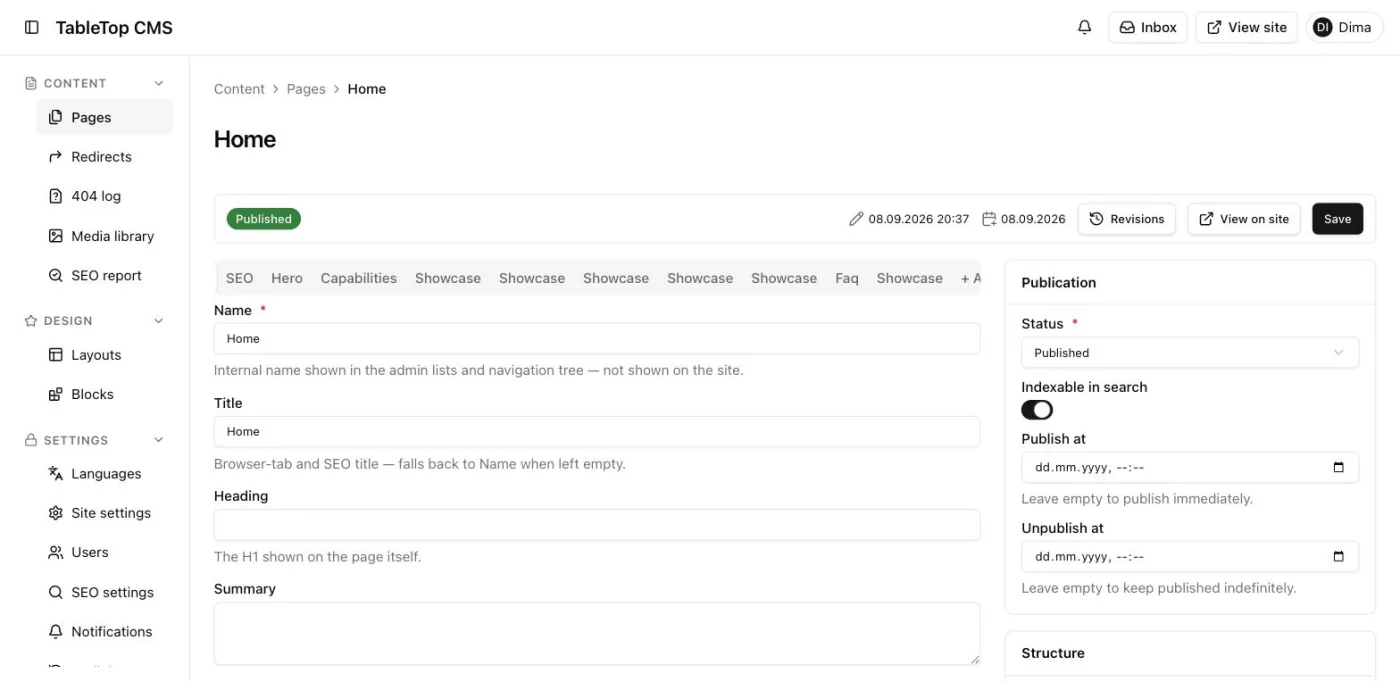
02 / 04
Content edits become restorable revisions
Each save that changes content writes a snapshot with author and time. The newest 25 per page are kept by default. Restoring one brings back the content, never an old status or tree position, and the restore is a plain DSL action.
- Snapshot per content change
- Restore with confirm
- Who changed what
- Audit log
yourapp.test/admin/pages/1/edit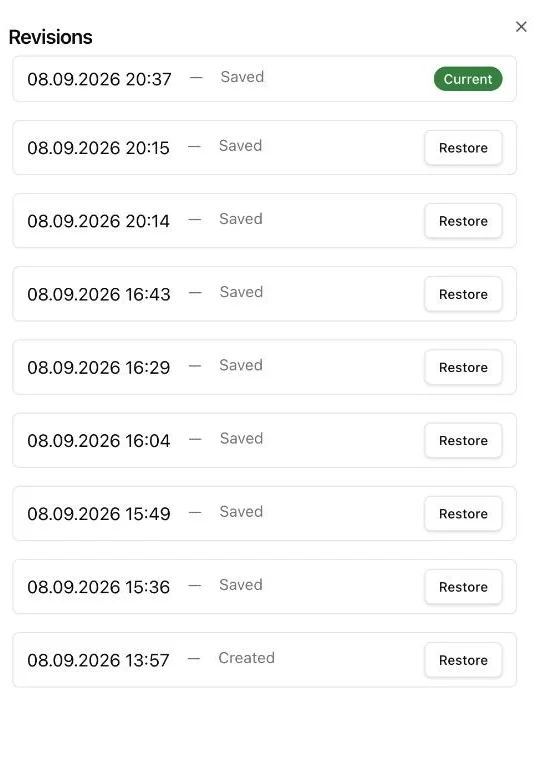
03 / 04
SEO checked on every page, reported site-wide
Meta, canonical, Open Graph and JSON-LD are edited per page against a checklist. A site-wide report lists every page that fails or warns.
- Per-page checklist
- Search & social preview
- Sitemap, robots, hreflang
- Site-wide report
yourapp.test/admin/pages/1/edit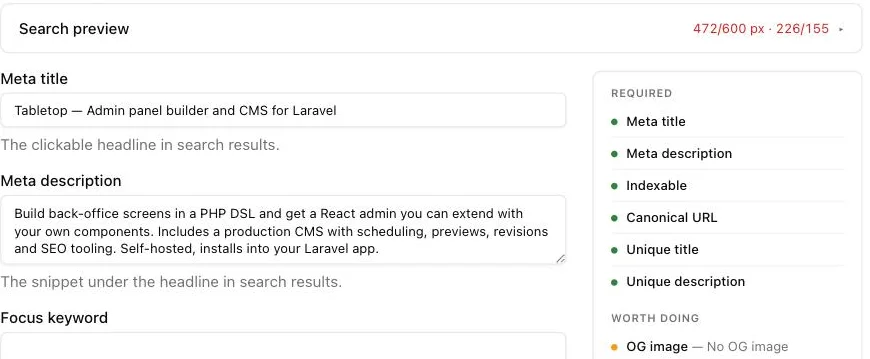
04 / 04
404s become redirects in one click
Every path that resolved to nothing is logged with hits and locale. Create a redirect from the row, or ignore it. A renamed slug gets its own 301, and a chain of moves collapses to one hop.
- 404 log with hit counts
- Create redirect from the row
- Redirect rules with status codes
- Automatic 301 on slug change
yourapp.test/admin/not-found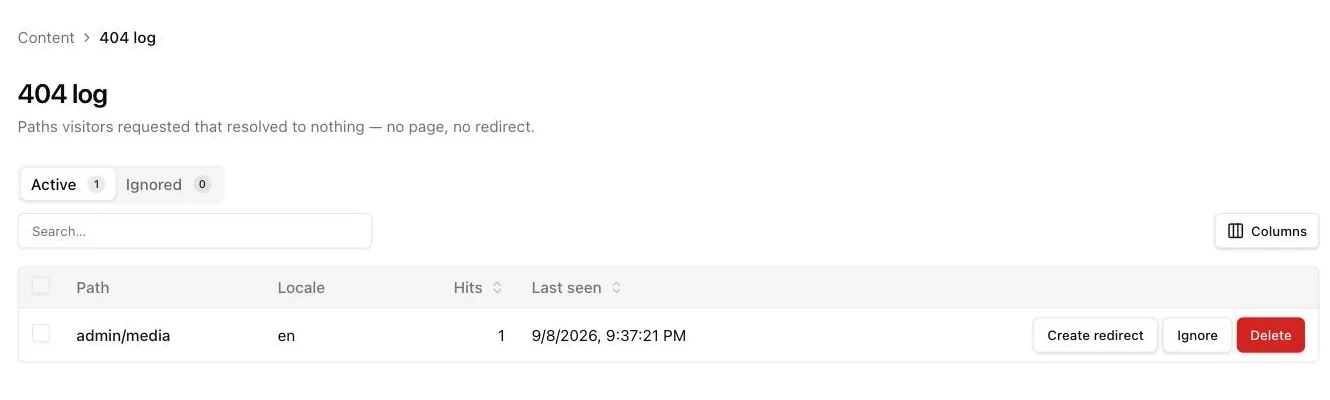
Join the CMS waitlist.
Leave an email and we'll write when a seat opens — one message per invite, nothing else. Meanwhile, the builder it runs on, tbtop/admin, is public and installs today.